
Summary
This article explains how date filters and period selections interact within the Log Entry Overview (LEO) page. It clarifies why certain date combinations may result in no data shown and how to correctly interpret the filter precedence logic.
Use Case
In the Log Entry Overview, there are two different levels of date selection that affect what data appears:
-
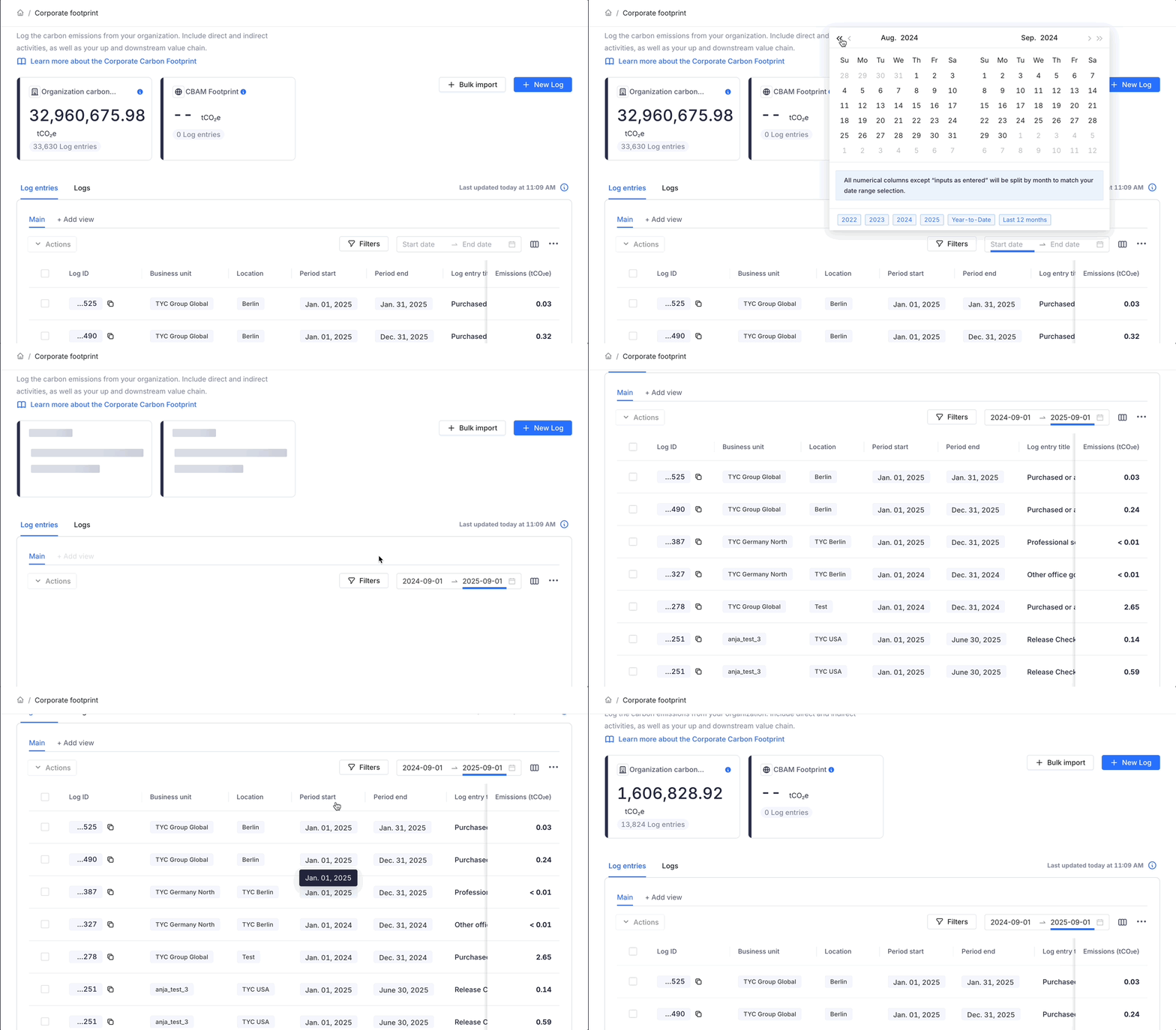
Date Selection (Top of LEO page) – Determines the displayed timeframe for logs. Works flexibly: any log with a start or end date falling within the selected range will appear. Acts like an “OR” condition, showing all logs overlapping the selected period.
-
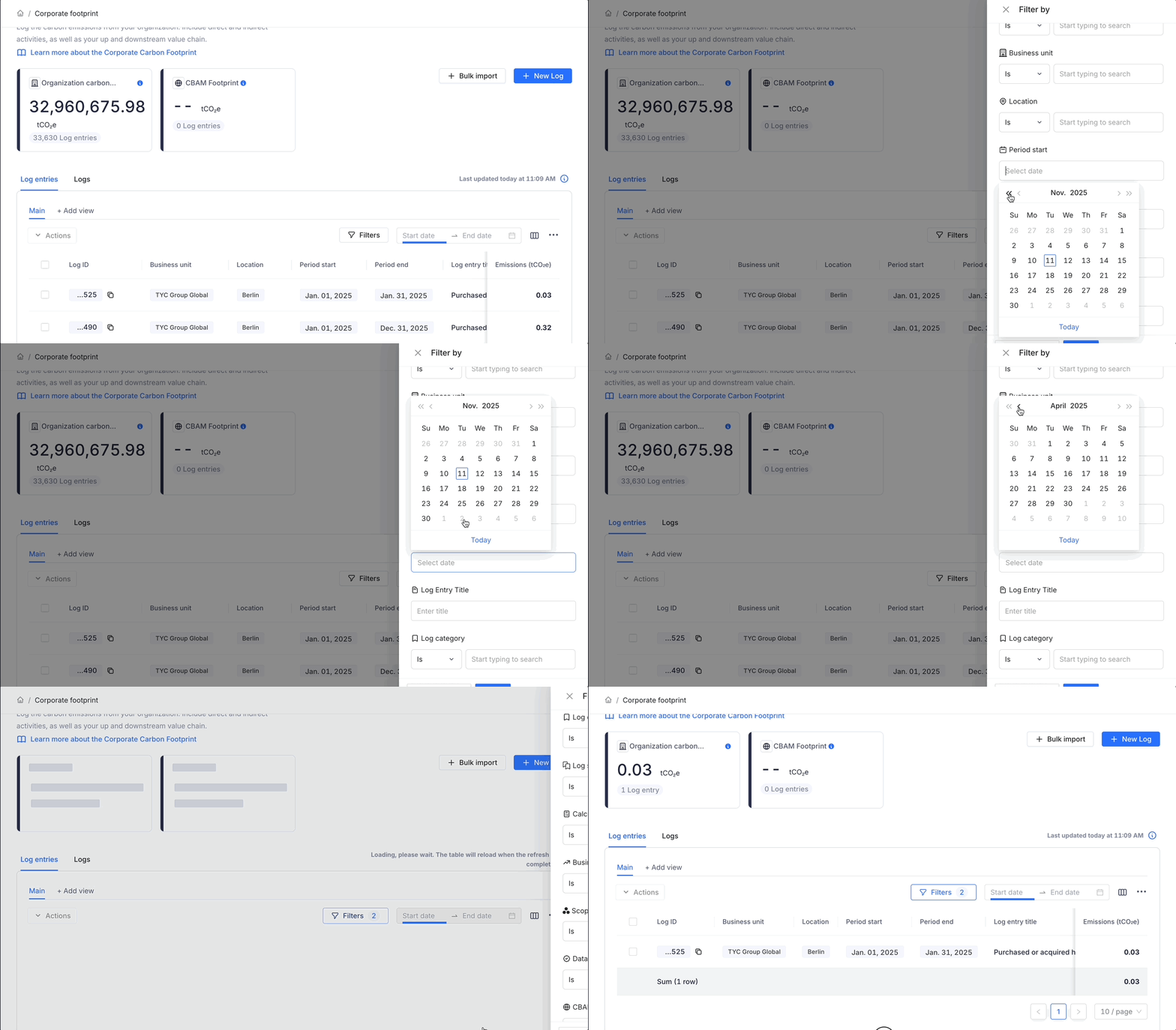
Filter Panel (Period Start and Period End filters) – Designed for exact date matching. Works with a strict “AND” condition, only logs whose start and end date exactly match the filter values will appear. Always overrides the broader period selection above.
Example
| Log Entry | Start Date | End Date |
|---|---|---|
| Log A | 01-01-2025 | 01-09-2025 |
| Log B | 02-02-2025 | 02-12-2025 |
Scenario 1: Using the Date Selection (Top Bar)
If you select:
Period start = 01-01-2025
Period end = 02-12-2025
Result: Both logs displayed
Because the period selection checks for any overlap within the range, Log A and Log B both fall within this timeframe.
Scenario 2: Using the period start and end in filters
If you set:
Period start = 01-01-2025
Period end = 02-12-2025
Result: No logs shown
Because no single log matches both these exact dates — the filter works with strict “AND” logic.
Scenario 3: Using the period start and end in filters
If you set:
Period start = 01-01-2025
Period end = 01-09-2025
Result: Log A is shown
Because Log A matches both these exact dates
Scenario 4: Using the period start and end in filters
If you set:
Period start = 02-02-2025
Period end = 02-12-2025
Result: Log B is shown
Because Log B matches both these exact dates
Scenario 5: Using the Date Selection (Top Bar)
If you select:
Period start = 01-01-2025
Period end = 07-01-2025
Result: Log A is shown
Because the period selection checks for any overlap within the range and the dates overlap partially with the period of Log A.
Scenario 6: Using the Date Selection (Top Bar)
If you select:
Period start = 01-01-2025
Period end = 05-02-2025
Result: Log A and Log B is shown
Because the period selection matches the full range of Log A and partially overlaps with the dates for Log B.
Things to note
-
Filter panel always takes precedence over the top-bar period selection.
-
Filter logic = AND operation→ matches exact start and end date.
-
Period selection logic = OR operation→ shows all logs within or overlapping the selected range.
-
If you see “no results” despite valid logs, check for active date filters.
This distinction ensures precise and flexible reporting. Analysts or auditors can use strict filters for exact-period checks, while sustainability teams can use broader period selection for visibility across overlapping activities.
Questions or feedback?
Our goal is to make sure you know what's happening with your emissions data. If you have any questions, concerns, or ideas, just reach out to us at support@cozero.io. We're here to make this feature even better based on your feedback.